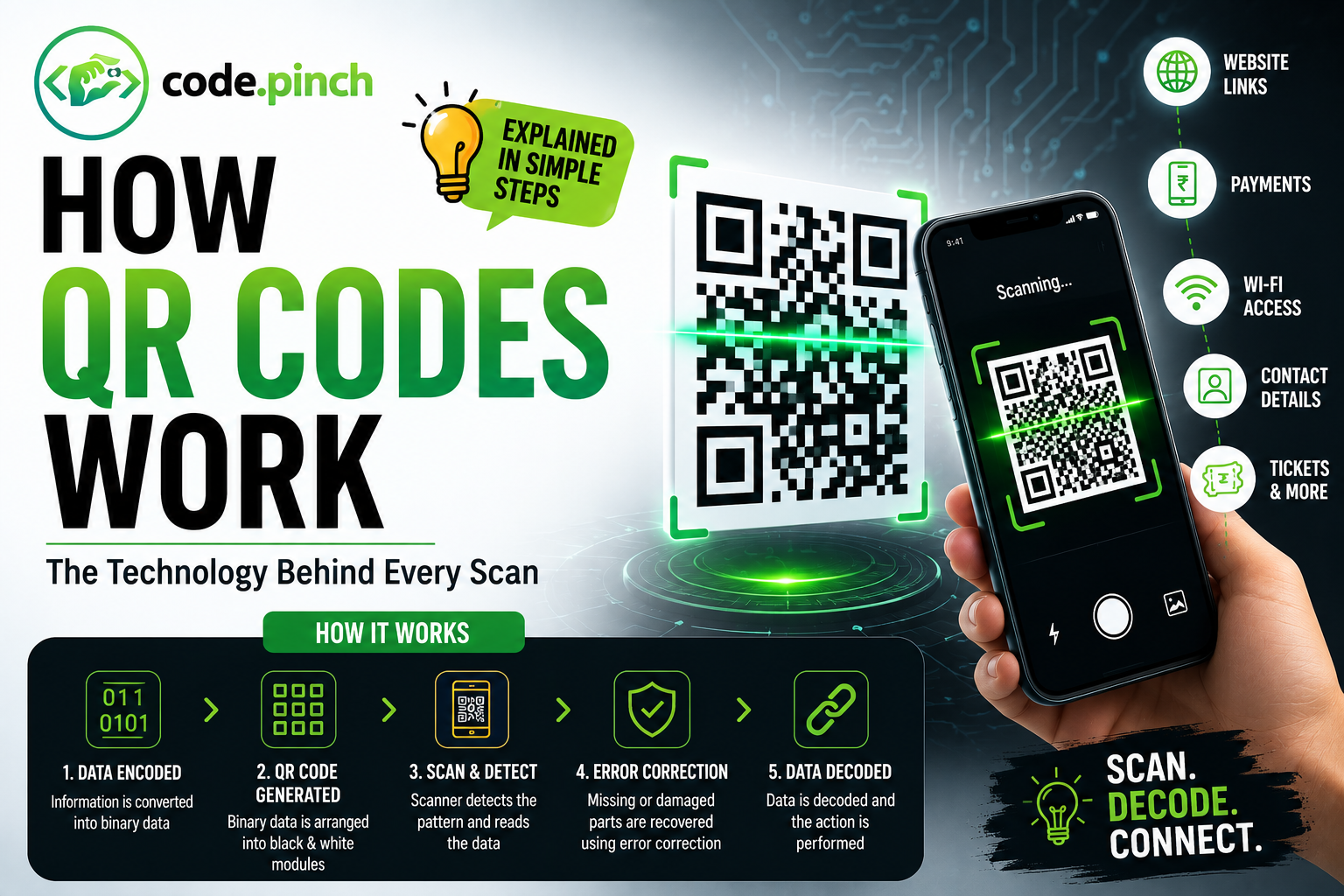
How QR Codes Work: Everything You Need to Know
QR codes are everywhere today—from UPI payments and restaurant menus to event tickets and website links. With just one scan, a smartphone instantly opens a webpage, connects to Wi-Fi, saves a contact, or completes a payment.
But have you ever wondered how QR codes actually work?
In this guide, we'll explain the complete technology behind QR codes in simple language.
What is a QR Code?
A QR (Quick Response) Code is a two-dimensional barcode that stores information using black and white squares arranged in a grid.
Unlike traditional barcodes that store information horizontally, QR codes store data both vertically and horizontally, allowing them to hold much more information.
A QR code can store:
Website URLs
Payment information
Contact details
Wi-Fi passwords
Email addresses
Event tickets
Product IDs
Text messages
GPS locations
How Does a QR Code Store Information?
Every small square inside a QR code is called a module.
Each module represents binary data:
Black Square = 1
White Square = 0
Thousands of these binary values combine together to create meaningful digital information.
The data is encoded using standardized QR encoding algorithms before being converted into the familiar black-and-white pattern.
Step-by-Step: How QR Codes Work
###Step 1: Information is Converted into Binary
Suppose the QR code contains:
https://example.com
This text is converted into binary (0s and 1s).
Computers only understand binary data, so every character becomes a sequence of bits.
Step 2: Binary Data is Arranged Inside the QR Code
The binary information is organized into tiny black and white modules.
Special sections are also added for:
Position detection
Alignment
Timing
Version information
Error correction
These help scanners read the code correctly from any angle.
Step 3: Finder Patterns Help Locate the QR Code
The three large squares in the corners are called Finder Patterns.
They help the scanner determine:
Orientation
Rotation
Position
Size
This is why QR codes can be scanned upside down or sideways.
Step 4: Alignment Patterns Improve Accuracy
Smaller alignment patterns correct image distortion.
Even if the QR code is printed on:
Bottles
Curved surfaces
Packages
the scanner can still read it accurately.
Step 5: Timing Patterns Create a Grid
Alternating black and white modules create timing patterns.
These help the scanner identify the exact position of every data cell.
Step 6: Error Correction Makes QR Codes Reliable
One of the smartest features of QR codes is Error Correction.
Using Reed-Solomon Error Correction, the scanner can reconstruct missing data even if the QR code is partially damaged.
This means a QR code can still work when it has:
Scratches
Dirt
Missing corners
Fold marks
Printing defects
Depending on the error correction level, QR codes can recover up to 30% of lost data.
How Does a QR Scanner Read the Code?
When you point your smartphone camera at a QR code, several processes happen in milliseconds.
1. Camera Detects the QR Code
The camera recognizes the three finder patterns.
2. Perspective Correction
Even if you're scanning at an angle, the software digitally straightens the QR code.
3. Grid Detection
The scanner identifies every module inside the code.
4. Binary Decoding
Black and white modules are converted back into binary.
5. Error Correction
Missing information is reconstructed if necessary.
6. Data Decoding
The binary data becomes:
URL
Payment request
Contact
Wi-Fi password
Text
7. Action is Performed
Depending on the content, your phone may:
Open a website
Launch a payment app
Connect to Wi-Fi
Save a contact
Show event information
All of this usually happens in less than one second.
Why Can QR Codes Be Scanned from Any Direction?
Unlike barcodes, QR codes don't require a fixed orientation.
Because of the three finder patterns, scanners instantly determine:
Top
Bottom
Left
Right
This allows QR codes to work even when rotated 360 degrees.
Why Can Damaged QR Codes Still Work?
Many people are surprised that damaged QR codes remain scannable.
This is possible because of Reed-Solomon Error Correction.
If some modules are destroyed, the missing information can still be mathematically reconstructed.
This makes QR codes extremely reliable for:
Product packaging
Posters
Outdoor advertising
Shipping labels
Payment systems
Static vs Dynamic QR Codes
Static QR Code
The information is permanently stored inside the QR code.
Examples:
Wi-Fi password
Contact card
Plain text
Once created, it cannot be changed.
Dynamic QR Code
The QR code stores a short redirect link instead of the final information.
This allows you to:
Change the destination URL
Track scan analytics
Update content
Monitor locations
Count scans
Businesses commonly use dynamic QR codes for marketing campaigns.
Where Are QR Codes Used?
QR codes have become an essential part of daily life.
Common applications include:
UPI payments
Restaurant menus
Website links
Digital business cards
Event tickets
Product authentication
Package tracking
App downloads
Wi-Fi sharing
Smart manufacturing
Inventory management
Healthcare records
Are QR Codes Safe?
QR codes themselves are simply containers for information—they are not inherently dangerous.
However, malicious QR codes can direct users to fake websites or phishing pages.
To stay safe:
Scan only trusted QR codes.
Preview the destination URL before opening it.
Avoid entering personal information on unfamiliar websites.
Keep your phone and QR scanning apps updated.
Advantages of QR Codes
Instant access to information
Fast scanning
High storage capacity
Works from multiple angles
Built-in error correction
Easy to generate
Low printing cost
Secure when used correctly
Supports many data types
Widely compatible with smartphones
Frequently Asked Questions (FAQs)
How do QR codes work?
QR codes store information as binary data using black and white modules. A scanner detects the pattern, decodes the binary data, applies error correction if needed, and displays the stored information.
Can a QR code work without the internet?
Yes. If the QR code contains offline information such as text, contact details, or Wi-Fi credentials, it can be decoded without an internet connection. Internet access is only required when the QR code points to online content like a website.
Why do QR codes have three large squares?
These are called finder patterns. They help the scanner identify the QR code's position, orientation, and size for fast and accurate decoding.
Can damaged QR codes still be scanned?
Yes. Thanks to Reed-Solomon error correction, many QR codes remain readable even if part of the code is scratched, dirty, or missing.
How much data can a QR code store?
The capacity depends on the QR code version and data type. Larger versions can store several thousand numeric characters or several thousand bytes of binary data.
Final Thoughts
QR codes may look like a simple pattern of black and white squares, but they're powered by sophisticated encoding, positioning, and error-correction technologies. Their ability to store large amounts of data, scan instantly from almost any angle, and remain readable even when partially damaged has made them an indispensable tool for payments, marketing, logistics, authentication, and everyday digital interactions.
As contactless experiences continue to grow, QR codes will remain one of the fastest and most convenient ways to connect the physical and digital worlds.
No comments yet — be the first to say something.